Michigan Department of Corrections Inmate Search
Michigan Department of Corrections Inmate Search: The 2026 Insider’s Guide
- Verified by: [DepartmentOfCorrections.org Research Team]
- Last Updated: January 26, 2026
Mdoc inmate search michigan – Michigan is unique among US prison systems. Its search database (OTIS) is arguably the most transparent in the country, often listing inmates who were released years ago. However, its security protocols for mail and visitation are among the strictest.
If you are looking for an inmate or trying to contact one, the “old ways” no longer work. As of January 2026, original mail is shredded upon arrival.
Here is the practical, step-by-step guide to navigating the MDOC system without getting your account blocked.
Part 1: The MDOC Inmate search michigan Tool
Do not use “mugshot” websites. They scrape old data and charge you to remove it. The official tool is free and updates daily.
-
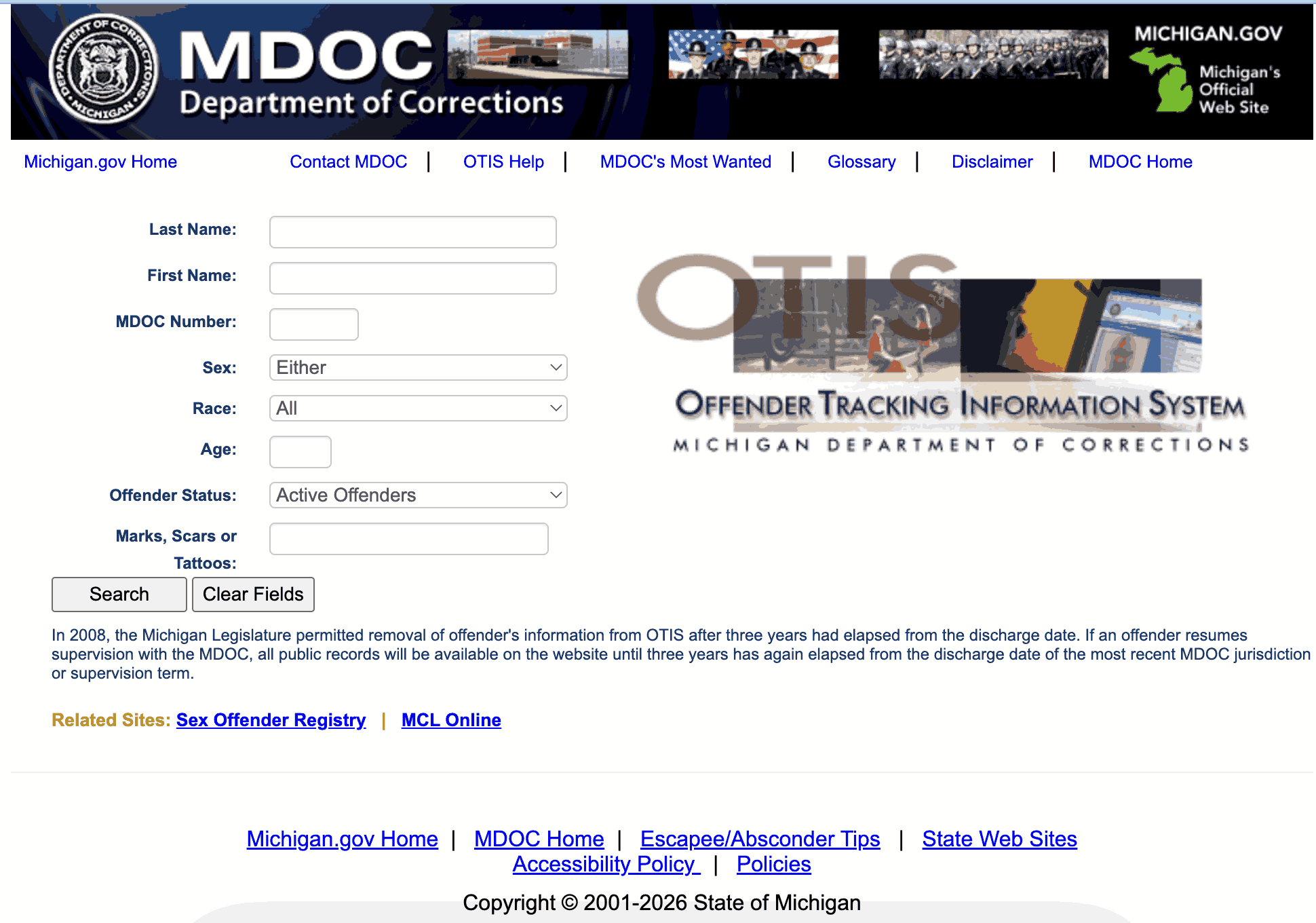
Official Tool: Offender Tracking Information System (OTIS)
-
Direct Link: Search the Official MDOC OTIS Database Here
How to Use “Wildcards” (The Secret Feature)
OTIS allows you to search even if you don’t know the exact spelling. This is critical because a typo results in “No Records Found.”
-
The Asterisk (*): Use the asterisk as a wildcard.
-
Example: Searching
Sm*will return Smith, Small, Smalley, and Smythe. -
Why use this? If you search “Chris Smith” but he is booked as “Christopher,” you will fail. Search
Smithand First NameC*to find him instantly.
Decoding the “Status” Column
Unlike most states, Michigan keeps records online for 3 years after a person is free. You must check the “MDO Status” column to see if they are actually in prison.
| Status Code | Meaning | Where Are They? |
| PRISON | Incarcerated. | In a State Facility (SCI). |
| PAROLE | Released (Supervised). | At home, but answering to a Parole Agent. |
| PROB | Probation. | Usually under County supervision, not State. |
| DISCHARGED | Free. | They finished their sentence. (Record stays public for 3 years). |
| ESCAPE | Absconder. | They fled custody. Call 911. |
Part 2: The 2026 Mail Rules (WARNING: Shredding Policy)
Stop. Do not put a letter in the mailbox until you read this.
As of January 5, 2026, Michigan DOC has implemented a “Zero Original Mail” policy to stop liquid drugs (like K2/Spice) from entering on paper.
1. The “Photocopy” Rule (Personal Mail)
-
What happens: You mail a letter/photo to the prison.
-
The Process: Staff opens it, photocopies it in black-and-white, gives the copy to the inmate, and shreds your original.
-
The Risk: Do not use yellow highlighters, light pencils, or glitter pens. They will not show up on the photocopy. The inmate will receive a blank page.
2. The “TextBehind” Rule (Legal Mail)
If you are sending legal documents, you cannot just use a law firm envelope anymore.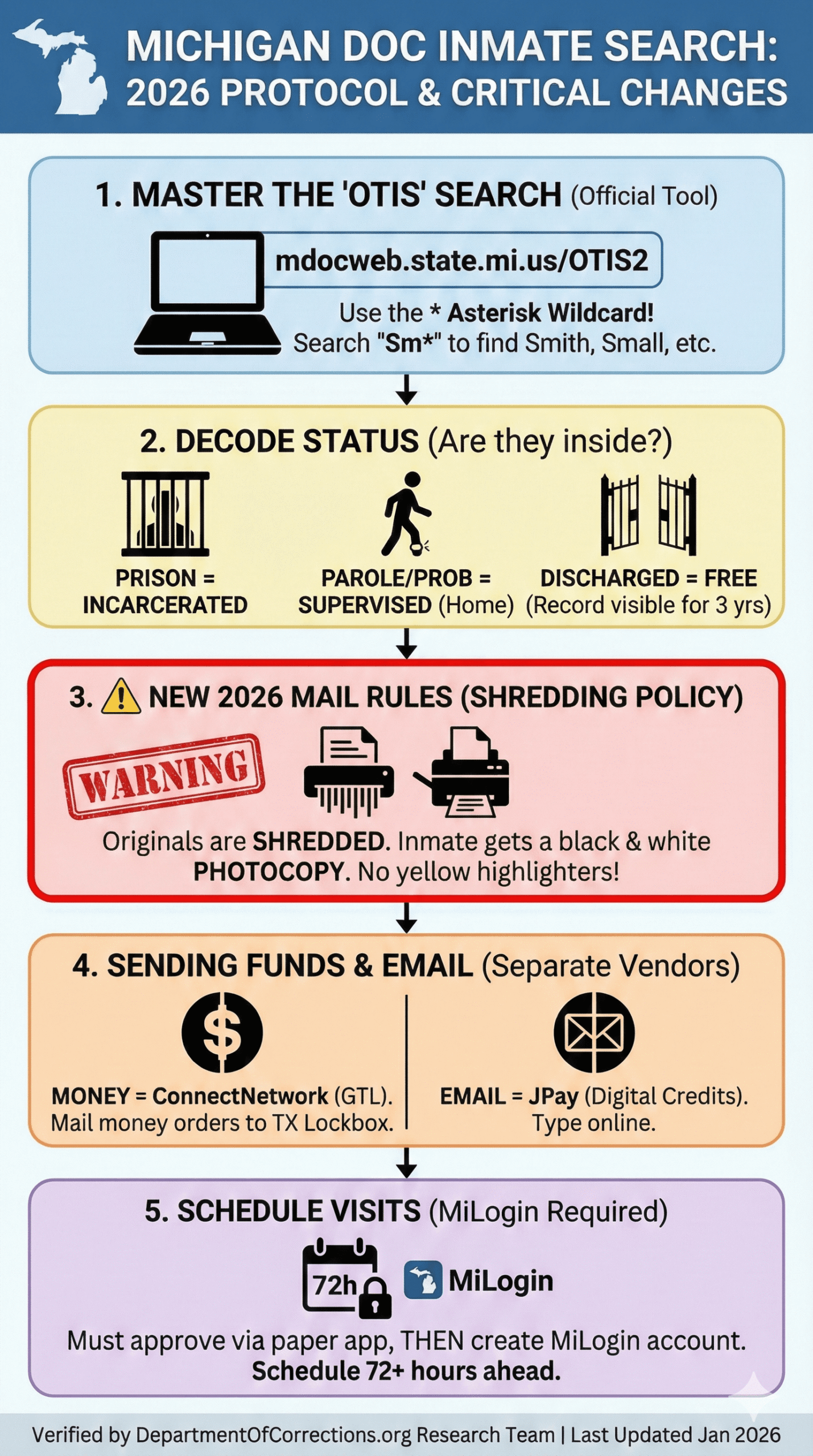
-
Requirement: You must register with TextBehind DOCS.
-
The QR Code: The system generates a unique QR Code that you must print on the envelope.
-
No Code? If legal mail arrives without this QR code, it will be rejected or processed as regular mail (opened).
Part 3: Sending Money & Email (The Vendor Maze)
Michigan uses different vendors for different services. Mixing them up means lost money.
A. Sending Money (GTL Financial)
Michigan does not use JPay for money orders anymore.
-
The Vendor: GTL Financial Services (ConnectNetwork).
-
Online: Use ConnectNetwork.com.
-
By Mail: Money orders must be mailed to the GTL Lockbox in Dallas, TX, not the prison.
-
Address: GTL Financial Services, 10005 Technology Blvd West, Suite 130, Dallas, TX 75220.
-
B. Sending Email (JPay)
-
The Vendor: JPay.com.
-
How it works: You type an email. The inmate receives it on their kiosk or tablet. They can reply electronically.
-
Cost: You buy “stamps” (digital credits). One email usually costs 1 stamp ($0.25).
Part 4: Visitation (The “MiLogin” Gatekeeper)
You cannot walk into a Michigan prison without a scheduled appointment. The process is entirely digital.
Step 1: The Paper Application
The inmate must mail you a Visiting Application (CAJ-103). You cannot print this yourself. Fill it out and mail it back. Wait ~30 days for approval.
Step 2: The “MiLogin” Account
Once approved, you must create a specialized government ID.
-
Go to Michigan.gov/MiLogin.
-
Create a standard citizen account.
-
Link it to “MDOC Inmate Visitation.”
Step 3: Scheduling (ViaPath)
-
Website: MDOC GTL Visit Me.
-
The Window: You can schedule visits 7 days in advance.
-
The Cut-off: You must book at least 72 hours (3 days) before the visit. If you try to book on Friday for a Saturday visit, the system will block you.
Part 5: Troubleshooting
“I can’t find them on OTIS!”
If the official search returns nothing, verify these three scenarios:
-
County Jail: If they were arrested recently (last 7 days), they are likely in a County Jail (e.g., Wayne County, Oakland County), not prison. OTIS only tracks sentenced felons.
-
Federal Custody: If the charges are federal (drugs across state lines, gun charges), check the BOP Locator.
-
The “Hyphen” Trap: If their name is “Smith-Jones,” search for
SmithandJonesseparately. Government data entry often drops the hyphen.
“Why was my mail returned?”
-
Did you put a sticker on the envelope? (Banned).
-
Did you use a marker that bled through? (Banned).
-
Did you forget the return address? (Mandatory).